
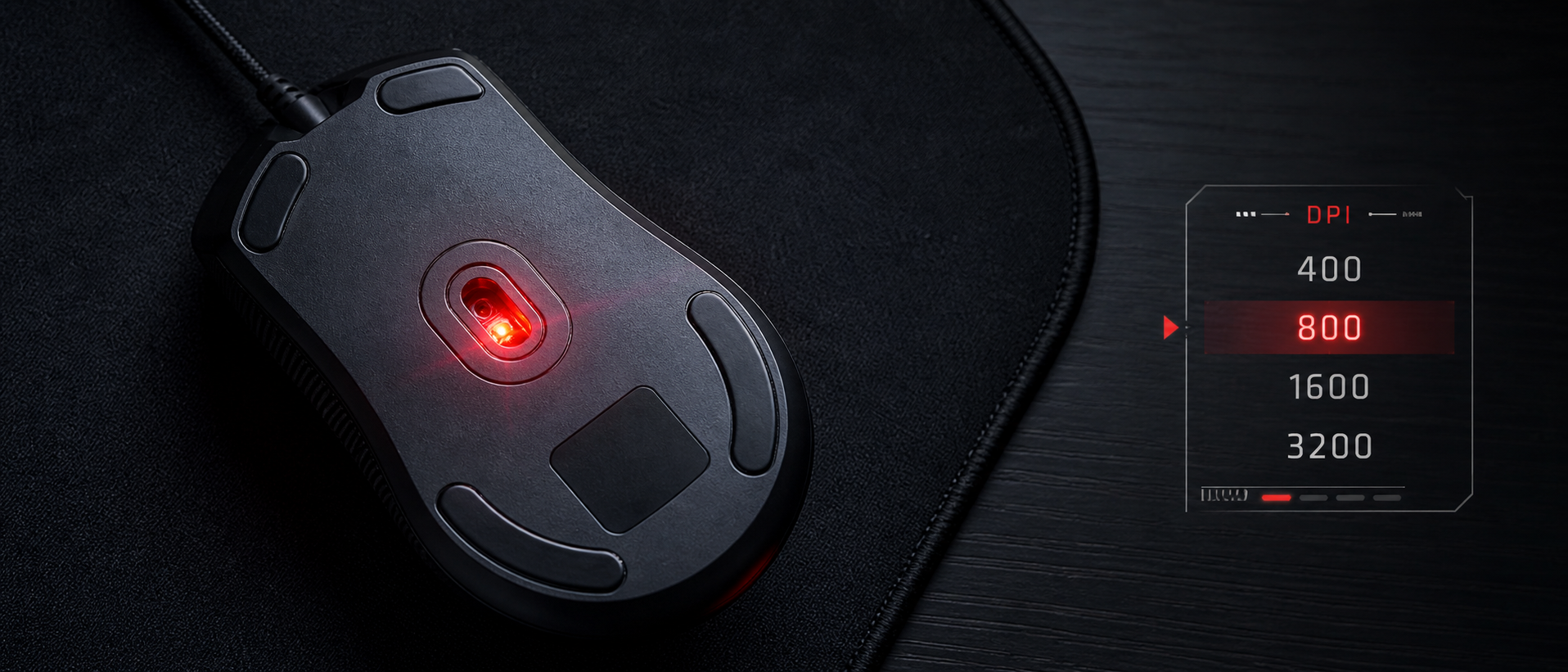
You're shopping for a gaming mouse on Amazon India. One says 8,000 DPI. Another boasts 25,600 DPI. The expensive one claims 30,000 DPI. Surely the bigger number is better, right? That's what the marketing wants you to think.
In reality, most pro gamers — the ones winning tournaments for a living — use somewhere between 400 and 1600 DPI. So what's going on? Let's break down DPI from scratch, explain why more isn't always better, and help you find the setting that actually improves your gameplay.
What Is DPI?
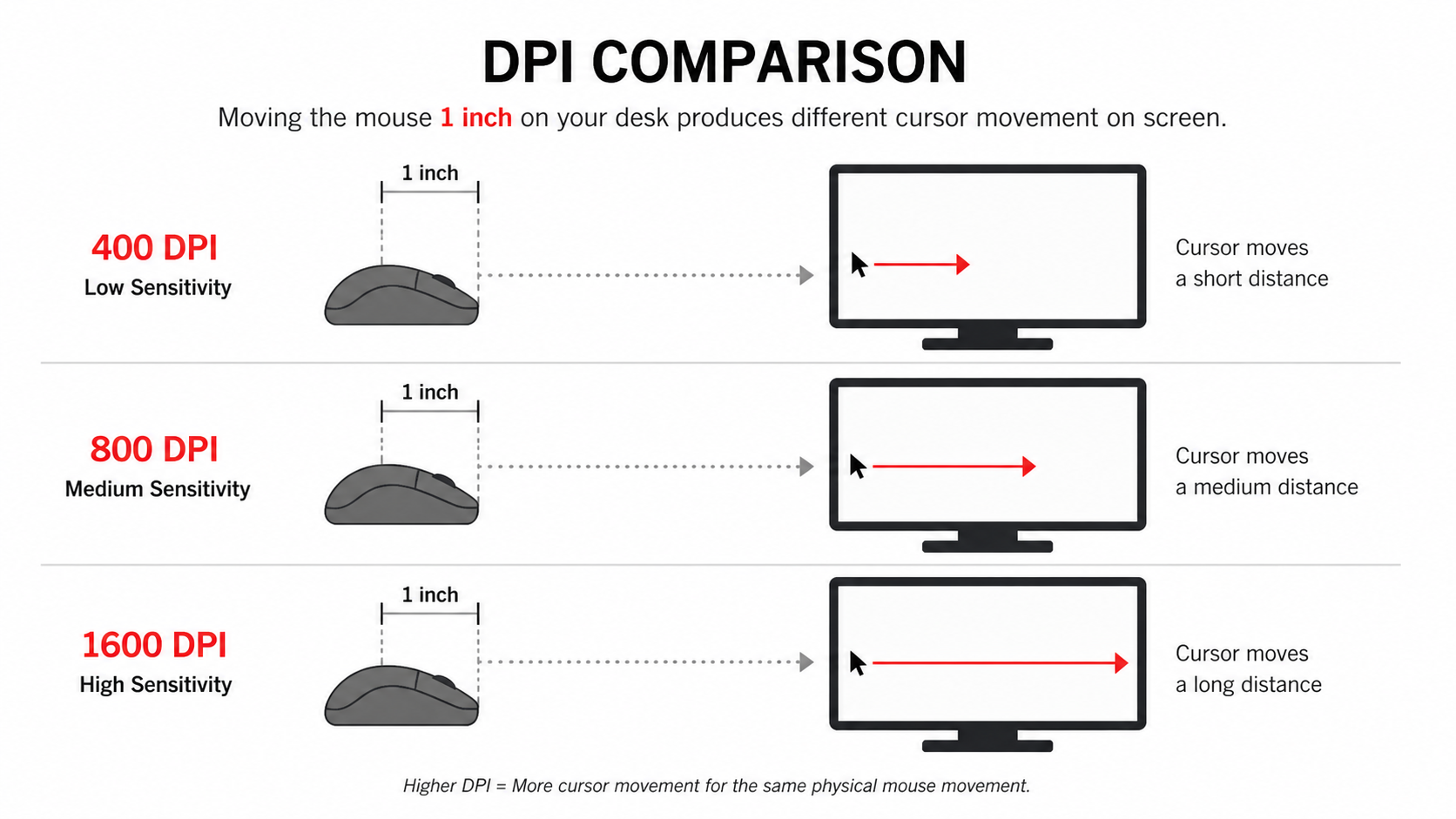
DPI stands for Dots Per Inch. It measures how many pixels your cursor moves on screen for every inch (2.54 cm) you physically move your mouse on your desk.
At 400 DPI
Move your mouse 1 inch → cursor moves 400 pixels. Slow, precise. You need a large mousepad to turn around in-game.
At 1600 DPI
Move your mouse 1 inch → cursor moves 1,600 pixels. Faster, covers more screen with less wrist movement.
At 16,000 DPI
Move your mouse 1 inch → cursor flies 16,000 pixels. That's almost 8 full HD screens. Practically unusable for aiming.
Think of DPI as a speed multiplier. Lower DPI = slower cursor, more physical movement needed, but finer control. Higher DPI = faster cursor, less movement, but harder to make precise micro-adjustments. Neither is inherently "better" — it depends entirely on what you're doing.
Quick Clarification: DPI vs CPI
Technically, mice use CPI (Counts Per Inch), not DPI. DPI is a printing term. But the gaming industry universally uses "DPI," so we'll stick with it. They mean the same thing for our purposes.
How DPI Works (Visually)
Your mouse has an optical or laser sensor on its underside. This sensor takes thousands of photos of the surface beneath it every second (that's your polling rate — we'll cover that in another guide). By comparing each frame to the previous one, the sensor calculates how far and in which direction you moved.
DPI determines how that physical movement translates to pixels on screen. At 800 DPI, the sensor reports 800 counts for every inch of movement. Your OS and game engine convert those counts into cursor or crosshair movement.
Here's the key insight: higher DPI doesn't make your sensor more accurate. A 400 DPI sensor and a 16,000 DPI sensor can have identical tracking accuracy. DPI only controls the speed of the output — like adjusting the zoom on your input, not the quality.
DPI vs Sensitivity — What's the Difference?
This confuses a lot of people, so let's clear it up:
| Factor | DPI | In-Game Sensitivity |
|---|---|---|
| What it is | Hardware setting (mouse sensor) | Software setting (game/OS) |
| Where you set it | Mouse software or DPI button | Game settings menu |
| How it works | Sensor counts per inch of movement | Multiplies the raw mouse input |
| Affects | All apps, games, desktop | Only that specific game |
| Quality of movement | Raw, smooth data | Can introduce pixel skipping if too high |
The important distinction: DPI changes the raw data from the sensor. In-game sensitivity multiplies that data. If you use very low DPI (say 200) and crank in-game sensitivity to compensate, the game is essentially stretching a small amount of data — which can cause jittery, inconsistent movement. This is called pixel skipping.
The ideal approach: set your DPI to something reasonable (400–1600) and then fine-tune with in-game sensitivity. This gives the smoothest, most consistent tracking.
What Is eDPI? (The Number That Actually Matters)
Here's the metric that actually lets you compare sensitivity between players:
eDPI = DPI × In-Game Sensitivity
All three players have the exact same in-game cursor speed. The DPI number alone is meaningless without knowing the sensitivity.
This is why you can't just copy a pro's DPI. You need their DPI and their in-game sensitivity to replicate their setup. Two players using 800 DPI could have wildly different effective speeds if their in-game sensitivities differ.
What DPI Should You Use for Gaming?
The answer depends on the type of game you play. Here's a practical breakdown:
FPS / Tactical Shooters
Valorant, CS2, Apex Legends, PUBG, Overwatch 2
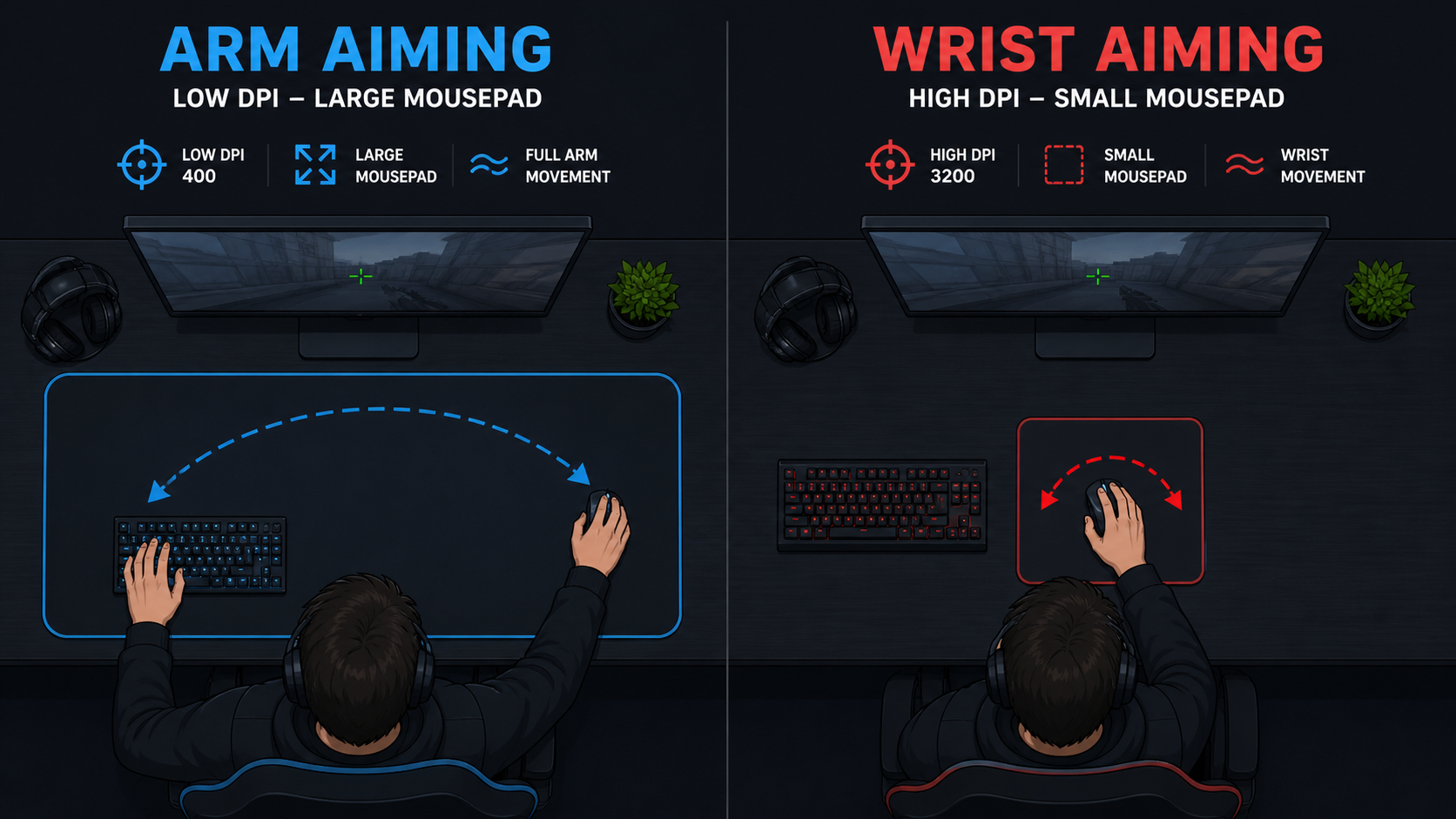
Precision is everything. Low DPI forces larger arm movements, which gives you finer crosshair control. Most pros use arm aiming (not wrist) at these settings. You'll need a mousepad at least 40cm wide.
MOBA / RTS
Dota 2, League of Legends, Age of Empires
You need to click quickly across the map but don't need pixel-perfect crosshair precision. Medium DPI gives a good balance of speed and accuracy for ability targeting and camera control.
RPG / Open World / Casual
Elden Ring, GTA V, Minecraft, Hogwarts Legacy
Precision aiming isn't the priority — camera movement and general navigation are. Higher DPI feels natural for exploring, looting, and casual combat. Use whatever feels comfortable.
Desktop / Productivity
Browsing, coding, design, multi-monitor setups
Depends on your screen resolution and number of monitors. A single 1080p screen needs less DPI than a dual 1440p setup. Most gaming mice let you set different DPI profiles — one for gaming, one for desktop.
Pro Player DPI Settings (2026)
Curious what the best players actually use? Here's a snapshot from top FPS pros. Notice how almost nobody uses the "maximum DPI" their mouse offers:
| Player | Game | Mouse | DPI | Sens | eDPI |
|---|---|---|---|---|---|
| TenZ | Valorant | Finalmouse UltralightX | 800 | 0.4 | 320 |
| s1mple | CS2 | Logitech G Pro X Superlight 2 | 400 | 3.09 | 1236 |
| Aspas | Valorant | Logitech G Pro X Superlight 2 | 800 | 0.32 | 256 |
| Aceu | Apex Legends | Logitech G Pro X Superlight | 800 | 1.3 | 1040 |
| ZywOo | CS2 | ZOWIE EC2-CW | 400 | 2.0 | 800 |
| Faker | League of Legends | Razer Viper V3 Pro | 3500 | 50 | — |
Notice the pattern: FPS pros cluster around 400–800 DPI with eDPIs typically between 200–1200. MOBA players use higher DPI since they need fast cursor movement, not crosshair precision. No one is using 16,000 DPI.
Common DPI Myths (Debunked)
"Higher DPI = better sensor"
False. Maximum DPI is a marketing spec. A mouse with a 30,000 DPI sensor isn't more accurate than one with a 16,000 DPI sensor. Sensor accuracy depends on the optical design, lens quality, and firmware — not the maximum DPI number. Budget mice from Logitech (HERO sensor) at 25,600 DPI max track identically to their 16,000 DPI predecessors.
"You should always use the highest DPI for smoothness"
Misleading. There's a kernel of truth here — at very high native DPI, the sensor provides more data points, which can be slightly smoother. But the practical difference between 800 and 3200 DPI is negligible for most players. And using 16,000 DPI makes your mouse so twitchy that any theoretical smoothness advantage is useless.
"Low DPI causes pixel skipping"
Mostly false. Pixel skipping happens when you combine low DPI with very high in-game sensitivity — the game engine has to "stretch" the limited input data. At 400–800 DPI with reasonable in-game sensitivity, no modern sensor produces pixel skipping. It was a real issue with older, cheap sensors — not with anything made in the last 5 years.
"You need to match DPI to your monitor resolution"
Not really. While higher resolution monitors have more pixels to traverse, your in-game sensitivity and eDPI handle this automatically. Most games use their own internal coordinate system, so DPI-to-resolution matching is only relevant for desktop use — and even then, just adjust until it feels comfortable.
How to Change Your Mouse DPI
Most gaming mice offer multiple ways to adjust DPI:
DPI Button (on the mouse)
Most gaming mice have a DPI button (usually behind the scroll wheel) that cycles through preset DPI levels. The LED colour often changes to indicate which profile is active.
Mouse Software
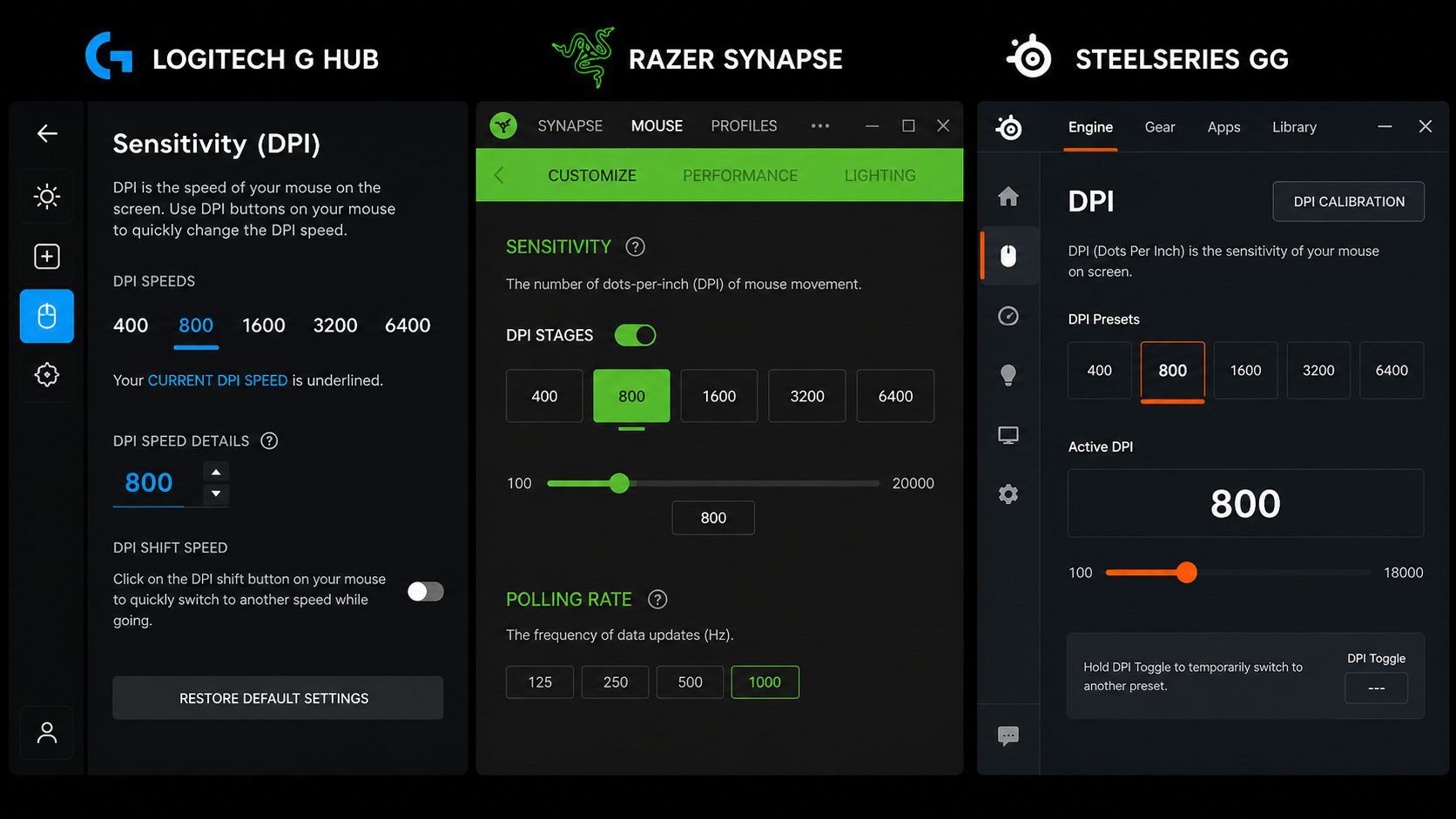
Logitech G Hub, Razer Synapse, SteelSeries GG, or HyperX NGENUITY — each brand has companion software where you can set exact DPI values, create profiles, and customize DPI stages.
On-Board Memory
Some mice (like Logitech G Pro series, Razer DeathAdder V3) store DPI settings on the mouse itself. This means your settings carry over even if you plug the mouse into a different PC — great for LAN cafes and tournaments.
Pro Tip: Disable Windows Pointer Acceleration
Go to Windows Settings → Bluetooth & devices → Mouse → Additional mouse settings → Pointer Options, and uncheck "Enhance pointer precision." This setting adds acceleration that changes cursor speed based on how fast you move the mouse — terrible for building consistent muscle memory. Every pro plays with it off.
How to Find Your Perfect DPI (Step by Step)
Don't just copy a pro player's settings — their hand size, mousepad, grip style, and muscle memory are different from yours. Instead, use this method:
Start at 800 DPI
It's the most common starting point and works well for most FPS games. Set your in-game sensitivity to the game's default or a moderate value.
Do the 180° Test
In your game, swipe your mouse from one edge of your mousepad to the other. If your character does roughly a 180° turn, your sensitivity is in a healthy range for FPS. If you're spinning 360° or more, it's too high. If you can barely turn 90°, it's too low.
Fine-Tune with In-Game Sensitivity
Keep your DPI fixed at 800 (or 400/1600 — pick one and commit). Adjust only your in-game sensitivity in small increments. Play a few aim trainer rounds or deathmatch games between each change.
Stick With It for 1 Week
Muscle memory needs time. A new sensitivity will feel "off" for the first 2–3 days. Don't keep changing it every match. Commit to a setting for at least a week before deciding if it works or not.
Frequently Asked Questions
What DPI do pro gamers use?
Is higher DPI better for gaming?
Does DPI affect aim in games?
What is the difference between DPI and sensitivity?
Should I change DPI or in-game sensitivity?
The Bottom Line
TL;DR
DPI is just a speed setting — not a quality indicator. A mouse with 30,000 DPI isn't "better" than one with 16,000. What actually matters is your eDPI (DPI × in-game sensitivity) and whether it lets you aim comfortably and consistently.
For most gamers in India playing FPS titles: start at 800 DPI, adjust in-game sensitivity until a full mousepad swipe does roughly a 180° turn, and commit for a week. That's it. Stop chasing DPI numbers and start building muscle memory.
And if someone tells you their 25,600 DPI mouse makes them aim better — ask them what sensitivity they use in-game. They probably don't know. And that's the real problem.
Related Guides