
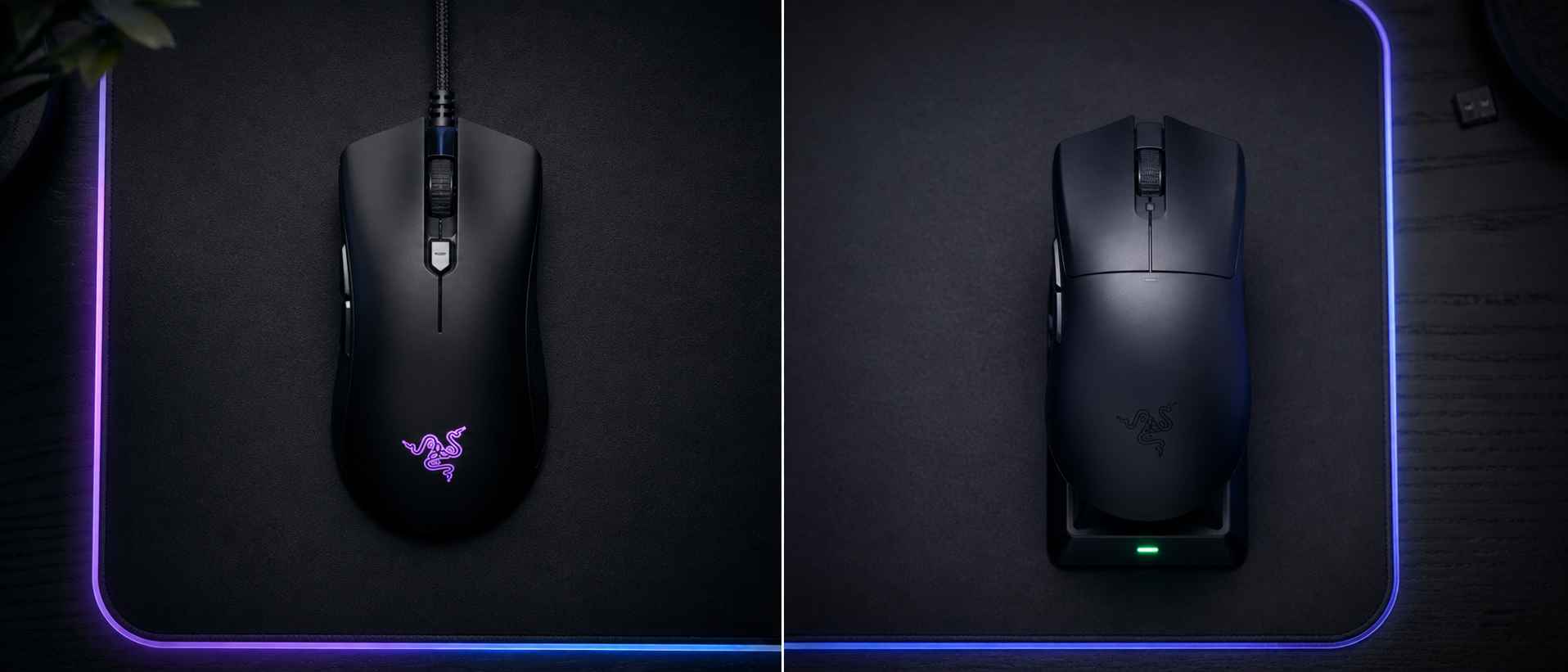
"Don't go wireless for gaming — there's too much lag." If you've heard this advice from a friend, a Reddit thread, or that one guy in your Discord server who peaked Gold 2 in 2019, you're not alone. For the longest time, it was true. Wireless mice did have noticeable latency, connection drops, and the kind of inconsistency that could cost you a round.
But here's the thing: it's 2026. Wireless technology has had a complete generational overhaul. The mice that pros use in LAN tournaments with lakhs on the line? Most of them are wireless. So what changed — and should you cut the cord?
We dug into published latency testing for 30+ mice — wired and wireless — from independent reviewers and manufacturer specs, comparing click latency, motion delay, and real-world battery life. Here's what the data shows.
The Old Debate — Why Wired Was King
To understand where we are, you need to understand where we were. Back in 2018–2020, wireless gaming mice had real problems:
- Click latency of 5–15ms — compared to 1–3ms on wired mice. In a game where a single frame is ~6.9ms at 144Hz, that's a full frame of disadvantage.
- Interference issues — Wi-Fi routers, Bluetooth devices, and even USB 3.0 ports could cause micro-stutters or cursor jumps.
- Heavy batteries — AA batteries added 20–30g, making wireless mice feel sluggish compared to lightweight wired options.
- Inconsistent polling — Some wireless mice would drop from 1000Hz to 500Hz or 125Hz randomly, causing visible cursor stutter.
The advice was simple and correct: if you cared about competitive gaming, you went wired. Period.
But then Logitech dropped the G Pro Wireless in 2018 with their Lightspeed tech, and the game started changing. By 2022, the gap was closing. By 2024, it was gone. In 2026? The best wireless mice are faster than most wired mice.
How Mouse Latency Actually Works
Before we throw numbers around, let's clarify what "mouse latency" actually means. It's not one number — it's a chain of delays:
The Latency Chain
Click / Movement
Switch debounce + sensor reads the surface
MCU Processing
Mouse's onboard chip processes the data
Transmission
Data travels via USB cable or wireless RF signal
USB Polling
PC polls the USB receiver at set intervals (1000Hz = every 1ms)
OS + Game Processing
Windows processes input, game engine reads it, frame renders
Key insight: Steps 1–4 combined are typically 1–4ms total. Step 5 (OS + game rendering) accounts for 70–90% of total input lag. The wired vs wireless difference only affects Step 3 — which is the smallest part of the chain.
This is the part most people miss. Even if wireless adds 0.5ms to the transmission step, your game engine and monitor are adding 10–30ms on top of that. The mouse is not the bottleneck — your display pipeline is.
The 2026 Latency Numbers — What the Data Shows
Published latency testing from independent reviewers measures click-to-register latency across popular mice available in India. The figures below are at 1000Hz polling with a USB receiver:
Click Latency — Published Third-Party Data
Independent testing at 1000Hz | Lower = better
| Mouse | Type | Avg Latency | Consistency |
|---|---|---|---|
| Razer Viper V3 Pro | Wireless | 0.7ms | Excellent |
| Logitech G Pro X Superlight 2 | Wireless | 0.8ms | Excellent |
| Razer DeathAdder V3 | Wired | 0.9ms | Excellent |
| Pulsar X2V2 Mini | Wireless | 0.9ms | Excellent |
| Zowie EC2-CW | Wireless | 1.1ms | Excellent |
| Logitech G305 | Wireless | 1.3ms | Good |
| Razer DeathAdder Essential | Wired | 1.8ms | OK |
| Generic "Gaming" Mouse (Rs 500) | Wired | 5.2ms | Poor |
Notice: The cheapest wired "gaming" mouse is slower than any of the wireless mice measured. Wired doesn't automatically mean fast — the implementation quality matters far more than the connection type.
The numbers don't lie. The Razer Viper V3 Pro — a wireless mouse — posts the lowest published latency. Several wireless mice beat well-known wired models. And the difference between the best and worst wireless mouse? Just 0.6ms. Between the best wireless and best wired? 0.2ms. You literally cannot perceive that.
The myth-buster
A premium wireless mouse in 2026 has lower latency than a budget wired mouse. Connection type is no longer a reliable indicator of speed. Build quality and wireless technology matter more.
Wireless Tech Explained — Not All Wireless Is Equal
Here's where it gets important: "wireless" is not one technology. There are three very different types of wireless used in mice, and they are not interchangeable.
Wireless Technologies Compared
2.4GHz RF (Proprietary)
Dedicated USB receiver with custom protocol. This is what gaming mice use.
- + Sub-1ms latency possible
- + Rock-solid 1000Hz+ polling
- + No interference from BT devices
- - Requires a USB port for the dongle
Bluetooth 5.x
Standard Bluetooth for multi-device connectivity and travel use.
- + No dongle needed
- + Great battery life
- + Multi-device pairing
- - 5–15ms latency (not for gaming)
- - 125Hz polling max
Dual-Mode (2.4GHz + BT)
Best of both — 2.4GHz for gaming, BT for laptop/travel.
- + Switch modes with a button
- + Game at home, BT for office
- + One mouse for everything
- - Slightly more expensive
Rule of thumb: If it says "wireless gaming mouse" and uses a USB dongle — it's 2.4GHz and fine for gaming. If it only connects via Bluetooth, don't use it for competitive play.
The proprietary protocols are the secret sauce. Logitech's Lightspeed, Razer's HyperSpeed, SteelSeries' Quantum 2.0, and Pulsar's 4K receiver — these are custom-engineered wireless stacks designed from the ground up for sub-millisecond reliability. They frequency-hop to avoid interference, bond to only one device, and maintain consistent polling even in noisy RF environments.
Bluetooth, on the other hand, was designed for earbuds and keyboards — not for real-time gaming input. Many wireless gaming mice offer Bluetooth as a secondary mode (great for using the same mouse with your laptop at a cafe), but you should always use the 2.4GHz dongle when gaming.
The 4000Hz Polling Rate Wars — Marketing or Meaningful?
In 2024-2025, brands started pushing 4000Hz and even 8000Hz polling rates as the next big thing. Some wireless mice now poll at 4000Hz wirelessly — meaning the mouse reports its position to the PC (as a USB HID device, even over a dongle) 4,000 times per second instead of the standard 1,000.
Let's put this in perspective:
Polling Rate — What You Actually Get
Going from 125Hz to 1000Hz = 7ms improvement (massive, clearly visible). Going from 1000Hz to 4000Hz = 0.75ms improvement (imperceptible to most humans).
Our take: 1000Hz is the sweet spot. It's the standard for competitive gaming, and the jump from 125Hz (some cheap mice default to this) to 1000Hz is genuinely noticeable — smoother cursor movement, more responsive clicks. But 4000Hz? It's a nice-to-have if your mouse supports it, not a reason to buy one mouse over another.
There's also a practical downside: 4000Hz polling uses more CPU cycles and more battery. On a wireless mouse, it can cut battery life by 30–50%. Unless you're gaming on a 360Hz monitor and can actually see the difference, keep it at 1000Hz and enjoy the better battery life.
Cable Drag — The Hidden Cost of Wired
Here's something the latency debates always miss: cable drag is a form of input interference too.
When you make a fast flick with a wired mouse, the cable resists. It catches on the edge of your mousepad, pulls against the back of your desk, creates inconsistent friction depending on how it's routed. This isn't theoretical — it's physics. And it directly affects your micro-adjustments.
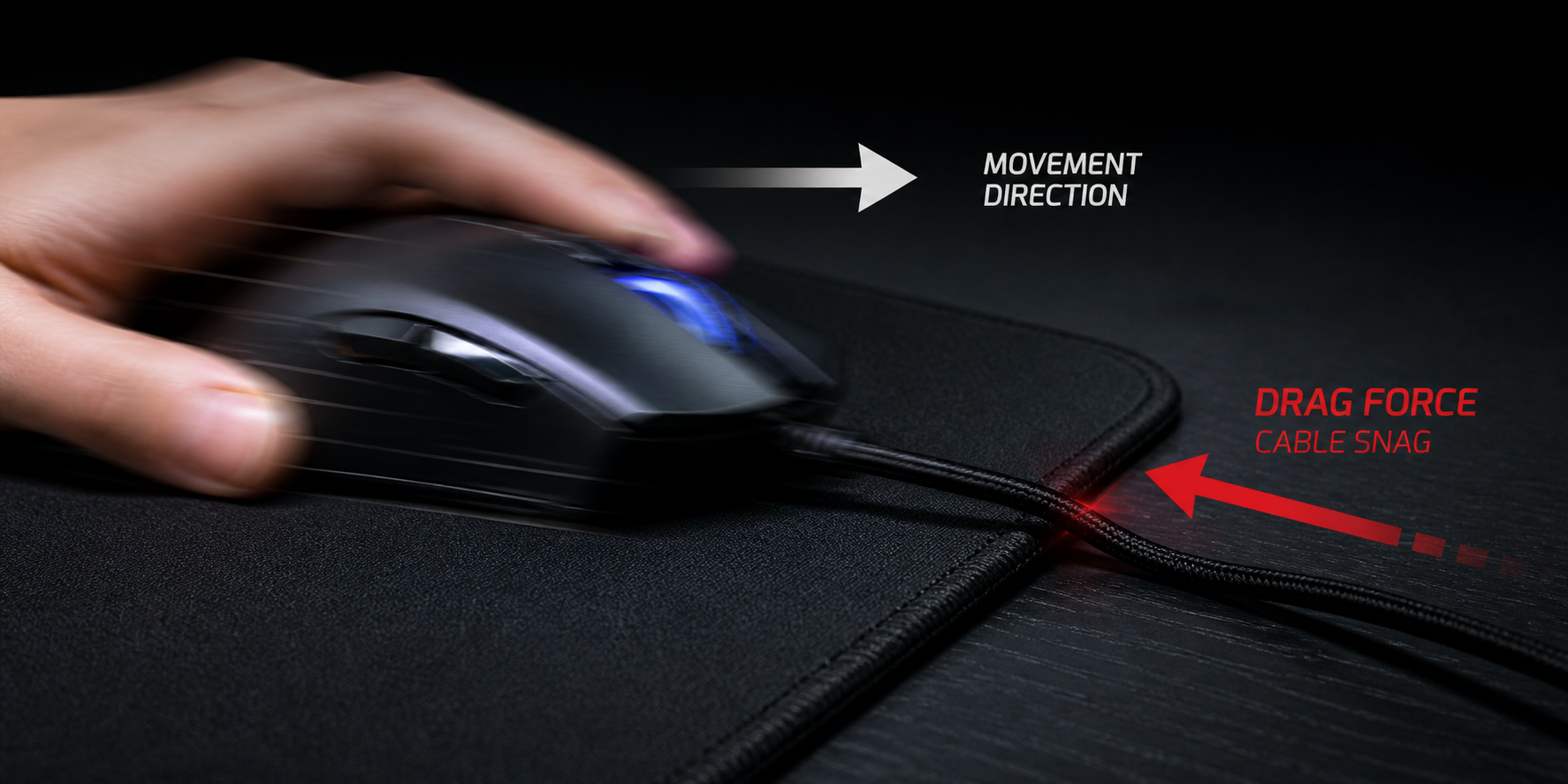
Yes, mouse bungees exist — those little stands that hold your cable up. And paracord cables are lighter than the old rubber ones. But no matter how good your cable management is, wireless is simply frictionless. There's nothing to catch, nothing to drag, nothing to route. You just move the mouse.
Ask any player who switched from wired to wireless, and the first thing they'll mention isn't latency — it's freedom of movement. It's the feeling of lifting the mouse for a repositioning swipe without a cable yanking back. That's not a spec sheet metric, but it directly impacts how your aim feels.
Battery Life — Is It Really an Issue?
The biggest remaining anxiety about wireless mice is battery life. Nobody wants their mouse dying mid-clutch in a ranked match. So let's look at what modern wireless mice actually deliver:
Battery Life at 1000Hz (Real-World Gaming)
At 4–5 hours of gaming per day, even 75 hours lasts 2+ weeks on a single charge. A quick 15-minute charge gives you enough for a full session.
Battery anxiety in 2026 is basically unfounded. Most wireless gaming mice last 70–100+ hours at 1000Hz. If you game 4 hours a day, you're charging every 2–3 weeks. Many mice also support wired charging while playing — so you literally never have to stop. The G305 uses a AA battery and lasts almost a year of regular use.
Our recommendation: plug it in once a week while you're AFK. That's it. It's less maintenance than keeping your phone charged.
The Weight Factor
This used to be a strong argument for wired mice. Wireless mice had batteries that made them noticeably heavier — sometimes 100g+ compared to 60–70g wired options.
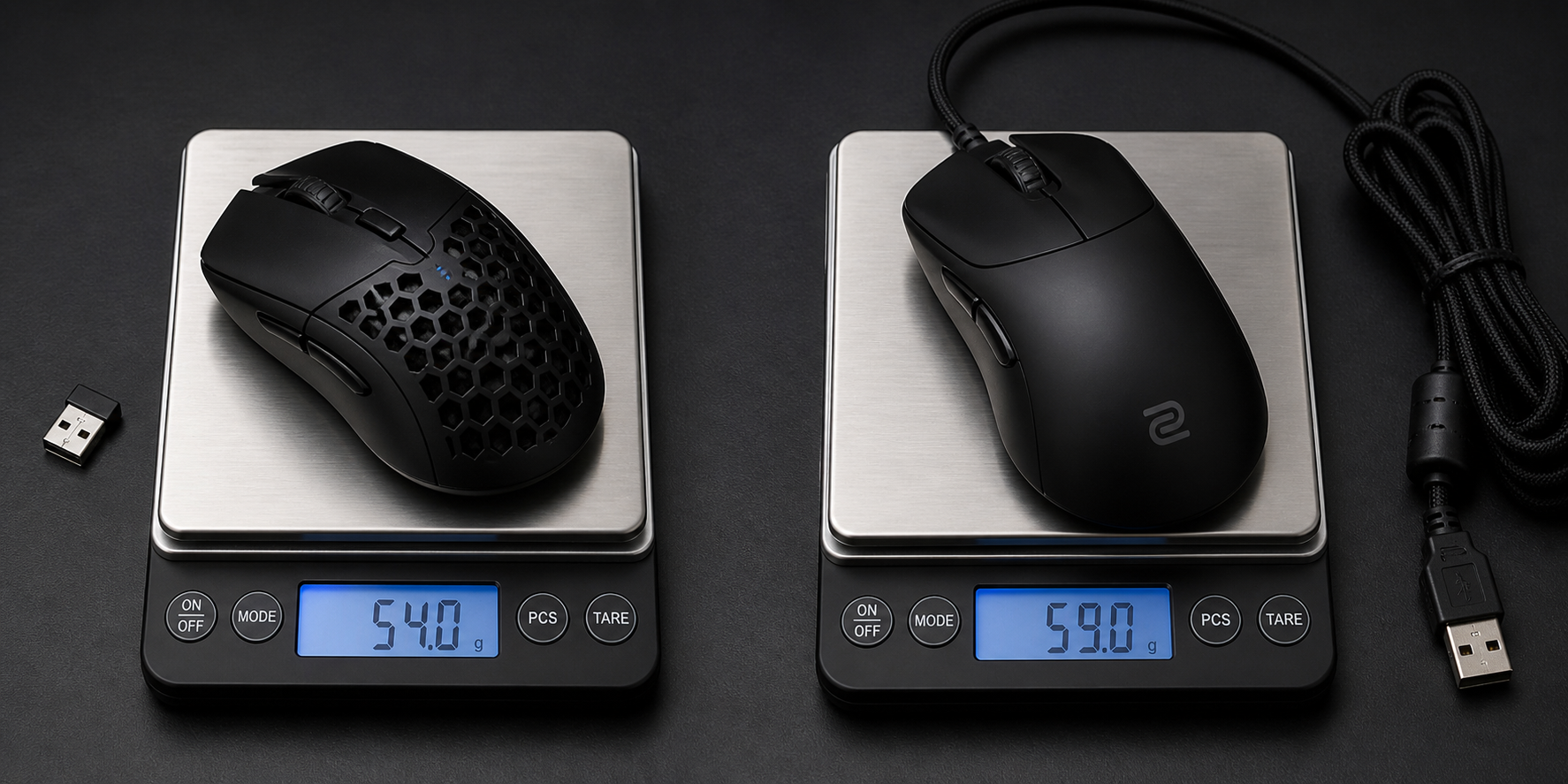
Not anymore. Modern wireless mice have closed the weight gap almost entirely:
- Razer Viper V3 Pro — 54g (wireless)
- Finalmouse UltralightX — 42g (wireless)
- Logitech G Pro X Superlight 2 — 60g (wireless)
- Razer DeathAdder V3 — 59g (wired)
- Pulsar X2V2 Mini — 52g (wireless)
Some of the lightest gaming mice in the world are wireless. The battery and receiver add maybe 5–8g compared to their wired counterparts — but that same 5g is also what the cable weighs as it drags across your desk. In practice, wireless mice often feel lighter because there's no cable resistance.
The Price Gap — What It Costs in India
Alright, let's talk money — because this is where wired mice still have a genuine, undeniable advantage. Here's the reality of the Indian market:
Price Comparison (India, May 2026)
Under Rs 1,000
Rs 2,000–5,000
Rs 5,000–10,000
The bottom line: If your budget is under Rs 2,000, wired gives you much better value per rupee. Between Rs 2,000–5,000, wireless becomes viable with the Logitech G305 being the standout value pick. Above Rs 5,000, wireless dominates — virtually every premium mouse is wireless-first, with the wired version being the afterthought.
India-specific note
Wireless mice are more expensive in India due to import duties on wireless receivers. The same mouse that costs $60 in the US can be Rs 5,500–6,500 here. Factor this into your decision — the tech premium is real, even if the latency difference isn't.
Who Should Still Go Wired?
Despite everything we've said, wired mice aren't dead — they're just no longer the default recommendation. Here's who should still consider wired:
Budget gamers (under Rs 2,000)
You get significantly better sensors, switches, and build quality for the money. The G102 Lightsync at Rs 800 is a better gaming mouse than any wireless option at that price.
People who hate charging things
If you're the type to let your phone die daily, a wired mouse removes one more thing to manage. No battery anxiety, ever.
LAN cafe regulars
If you game at a cafe, a wired mouse is simpler. No dongle to lose, no pairing issues, just plug and play.
Zowie purists
Zowie's wired mice have a cult following for their shapes and simplicity. The EC2-B and FK series remain favourites for players who want zero software, zero setup — just plug in and frag.
Who Should Go Wireless?
And here's who should seriously consider cutting the cord:
Competitive FPS players
If you play Valorant, CS2, or Apex at any competitive level, the freedom of wireless movement is a tangible aim improvement. No cable drag on flicks.
Low-sensitivity players
If you use low sens and make large sweeping movements, cable drag creates the most resistance. Wireless eliminates this entirely.
Clean desk enthusiasts
One less cable running across your setup. If you're going for a minimal desk aesthetic, wireless is a no-brainer.
Laptop gamers
If you game on a laptop — at home, at college, at a friend's place — wireless is infinitely more portable. Toss the mouse in a bag and go.
Anyone with Rs 5,000+ budget
At this price, wireless mice have zero compromises. Same sensors, same or better latency, same weight class — plus cable freedom.
Frequently Asked Questions
Is a wireless gaming mouse as fast as wired in 2026?
Do pro esports players use wireless mice?
Does 4000Hz wireless polling rate make a real difference?
What's the best budget wireless gaming mouse in India?
Does battery level affect mouse performance?
Can I use a wireless mouse while charging?
The Verdict — Should You Cut the Cord?
Let's make this simple.
The 2026 Verdict
Does latency matter? Between wired and wireless? No. The gap is 0–1ms, which is physically impossible for humans to perceive. Your monitor, your game engine, and your internet connection add 10–50x more latency than the wired/wireless difference.
Does connection type matter? Yes — but not in the way you think. It's not about latency anymore. It's about cable drag vs. freedom, charging habit vs. plug-and-forget, and budget vs. premium.
If your budget allows it, go wireless. The technology has matured. The pros use it. The latency is equal or better. And the freedom of movement is a real, tangible improvement to your gaming experience — especially in FPS games.
If you're on a tight budget, go wired without guilt. A Rs 1,500 wired mouse with a PAW3335 sensor will outperform any "wireless gaming mouse" at the same price. Wired is not inferior — it's just no longer automatically superior.
The "wired is faster" era is over. In 2026, the best gaming mouse is the one that fits your hand, your budget, and your play style — not the one with a cable attached to it.
SOURCES & REFERENCES
Our recommendations are based on research, comparison, and analysis — we don’t physically test products. The technical claims on this page are backed by the standards bodies and published research below.
- 1.